
FOR SECURITY GUARDS
Get the NetraOps guard app
Install the app on your phone, then sign in with the email and temporary password your company admin gave you. The app asks you to choose a new password the first time.
Tap to open the store on your phone.
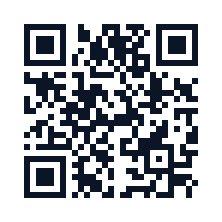
On a computer?
Point your phone's camera at this code, or type netraops.com/app into your phone's browser.
Can't find it? Search for NetraOps by Calvern LLC in the App Store or Google Play.
No Google Play on your phone, or it won't install? Ask your company admin.
Admin or client? You sign in on the web: log in.